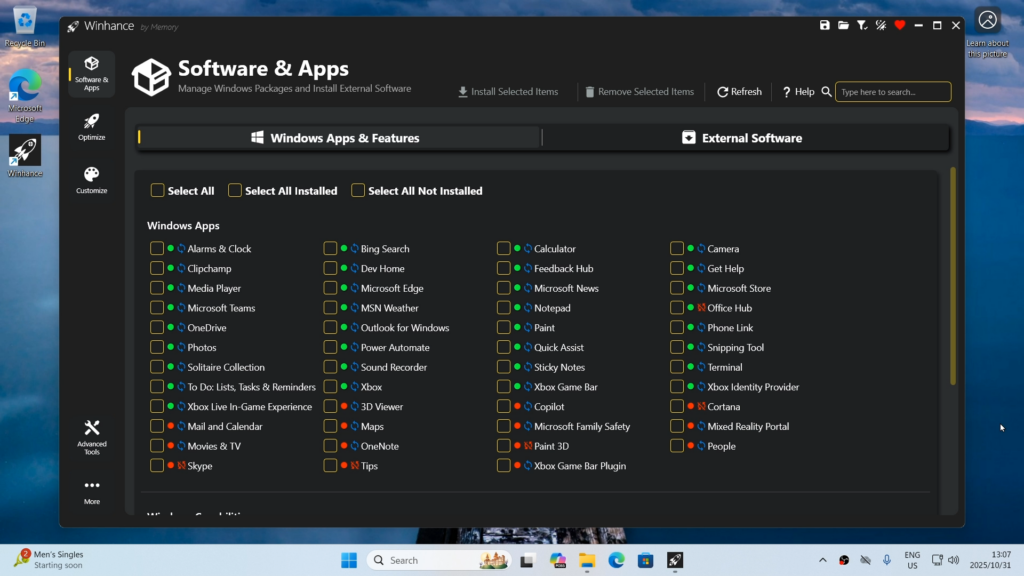
Last year we shared a video from CyberCPU Tech that showed how to remove Windows bloatware by generating an autounattend.xml file before installation. It was a great approach—but today he’s back with an even better solution, one that doesn’t require a full system wipe.
I’ve linked his latest video below, where he gives a thorough and informative walkthrough of Winhance and what it can do.
Winhance is an open-source Windows enhancement utility (written in C#) that helps you debloat, optimize, and customize your Windows 10 or Windows 11 system. It provides a graphical interface for managing Windows apps and features (including removing unwanted built-in software), applying system optimizations (privacy, performance, updates, power settings, etc.), and tweaking visual elements like the theme, taskbar, and Start menu — all aimed at giving you more control over the look and behavior of your PC without needing a fresh OS install.
Quick install via PowerShell:
irm "https://get.winhance.net" | iexhttps://github.com/memstechtips/Winhance (Buy Memstechtips a Coffee!)